
Step 5 of 5 · Manage the work
After the yes, keep the job organized and the margin visible.
Signed work moves into a practical project workspace that connects the accepted scope, financial documents, expenses and profitability, without the weight of enterprise construction software.
Book a demoThe real QuotActiv project page, with a fictional client. Keep scrolling for the Financials tab.
Project handoff
The signed proposal becomes organized work.
Keep the accepted scope and essential project information connected instead of rebuilding the job in another disconnected system.
LINKED QUOTE AND ACCEPTED SCOPE — CLIENT AND PROPERTY CONTEXT — CLEAR PROJECT STATUS
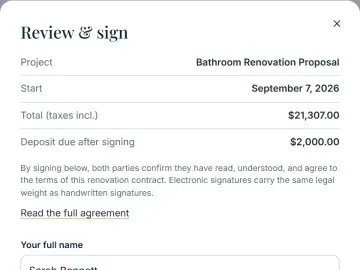
- Proposal signedClient approval recordedCOMPLETE
- DepositPayment status connectedRECORDED
- Project workspaceJob ready to organizeACTIVE
Financial documents
Keep invoices and receipts connected to the job.
Client-facing financial documents stay part of the same project history, so communication and business records are easier to follow.
INVOICES TIED TO THE PROJECT — RECEIPTS KEPT WITH THE JOB — PAYMENT PROGRESS MADE VISIBLE
Job costs
Record the expenses that change the real result.
Track practical project expenses and job costs against the value of the work, so the financial picture doesn’t end with the signed quote.
EXPECTED SUBCONTRACTOR AND PROJECT COSTS — ACTUAL EXPENSES AS THE JOB PROGRESSES — CLEAR VARIANCE
- Tile supplierMATERIALS$4,180
- Licensed plumberSUBCONTRACTOR$2,200
- Waste removalPROJECT EXPENSE$650
Profitability
Understand whether the job is still making money.
Compare revenue, expected costs, actual costs and current profit in a contractor-friendly view. It’s practical job visibility, not a replacement for accounting software.
Actual costs came in $480 over expected. The job still closed at a 37.0% margin, and you could see it before the final invoice.
Where this fits in the sale.
Each part hands off to the next, so nothing is retyped and nothing falls through the cracks.

Keep the promise organized after the client says yes.
Enough project visibility to run the business smoothly, without enterprise software weight.