Step 3 of 5 · Send it and get the yes
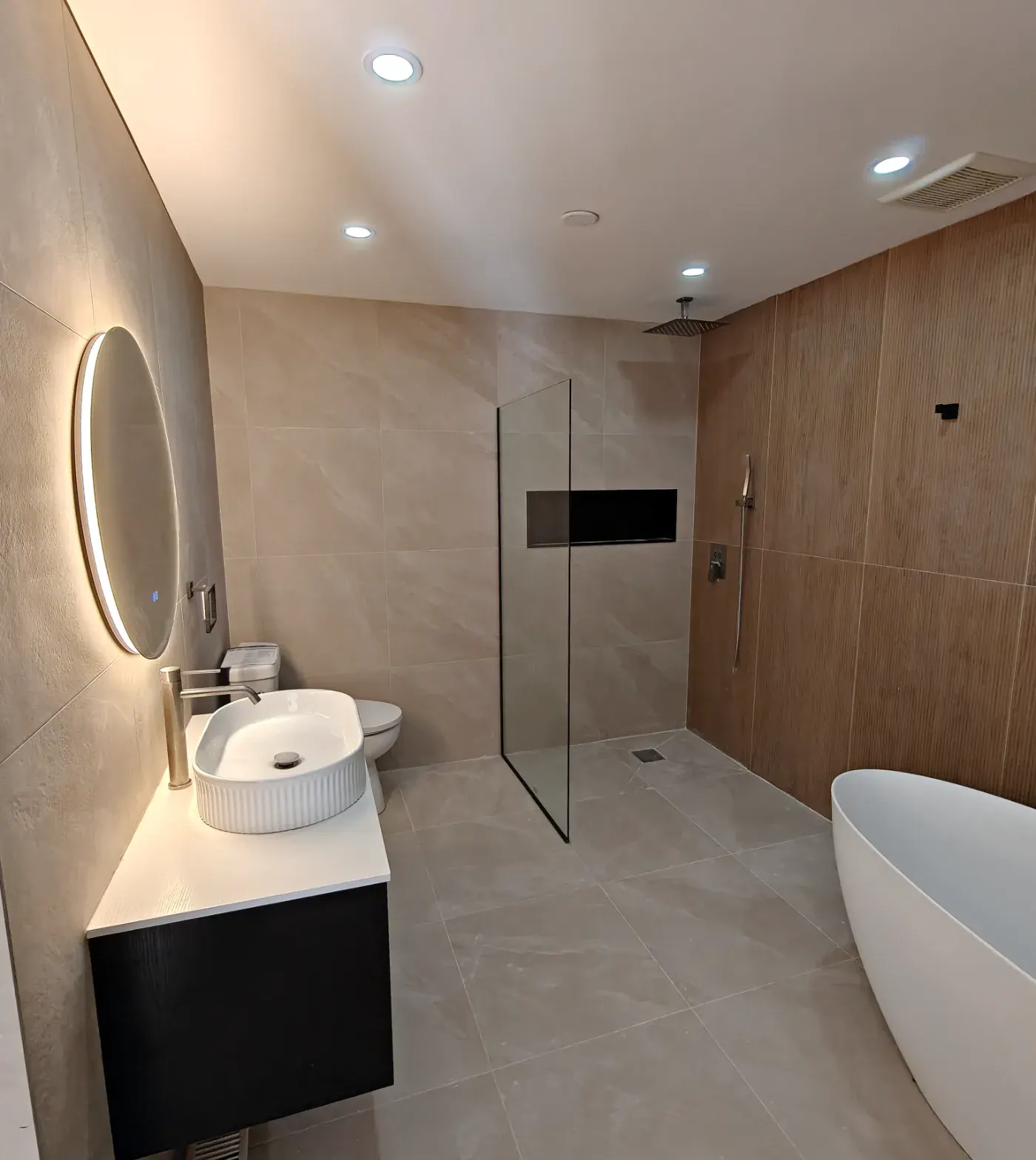
The proposal is not a PDF. It’s the sales experience.
Your client reviews the full scope, selections, price, and payment schedule on one page that carries your brand, your license, and your professionalism. Then they sign it. Right there.
- NOTE 1Your brand and license, up topCompany name, license numbers, and contact details on every proposal.
- NOTE 2The scope, phase by phaseClients open each phase and see the line items, rather than reading one long paragraph.
- NOTE 3Built from your quoteThe scope and pricing come from the quote you built. No retyping, no drift between documents.
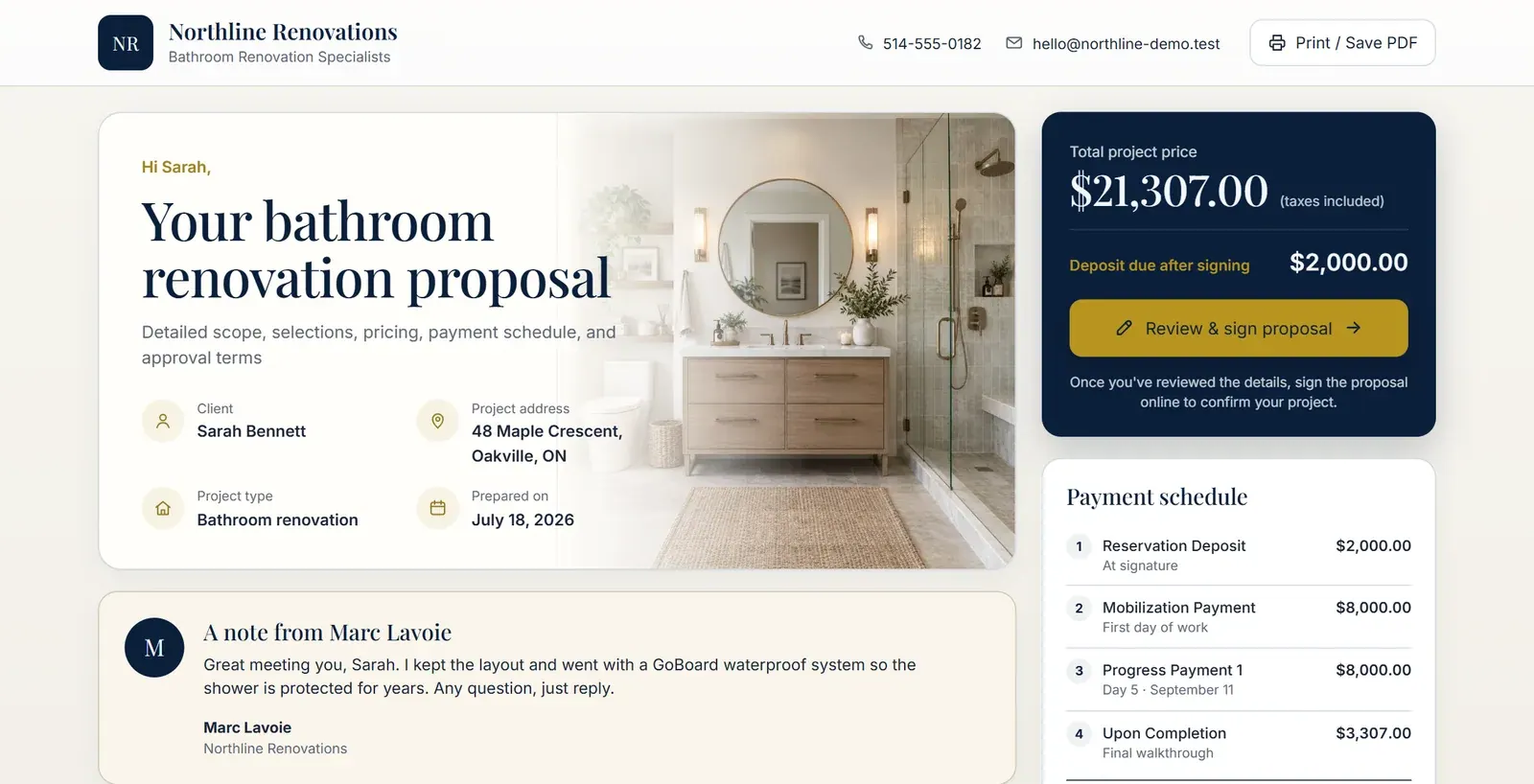
Tap a phase to see what is included.
Showing scope detail 02 DEMO & PREP
Your brand, their couch
Homeowners say yes from the sofa.
The proposal is built for where decisions actually happen: a phone, in the evening, with the family. Every screen carries your company name, your colors, and your license. QuotActiv stays invisible.
- Made for mobile
- A responsive page on every device. No pinch-zooming a PDF.
- Your brand, front and center
- Your logo, license number and contact details, visible where it matters.
- Always the right version
- One live link that opens the most current proposal. Never email an attachment.

Signature & deposit
- Proposal signedBoth parties have signed the agreement.
- Deposit paid$2,000 deposit recorded.
- Project reservedDates are confirmed after the contractor confirms receipt of the deposit.
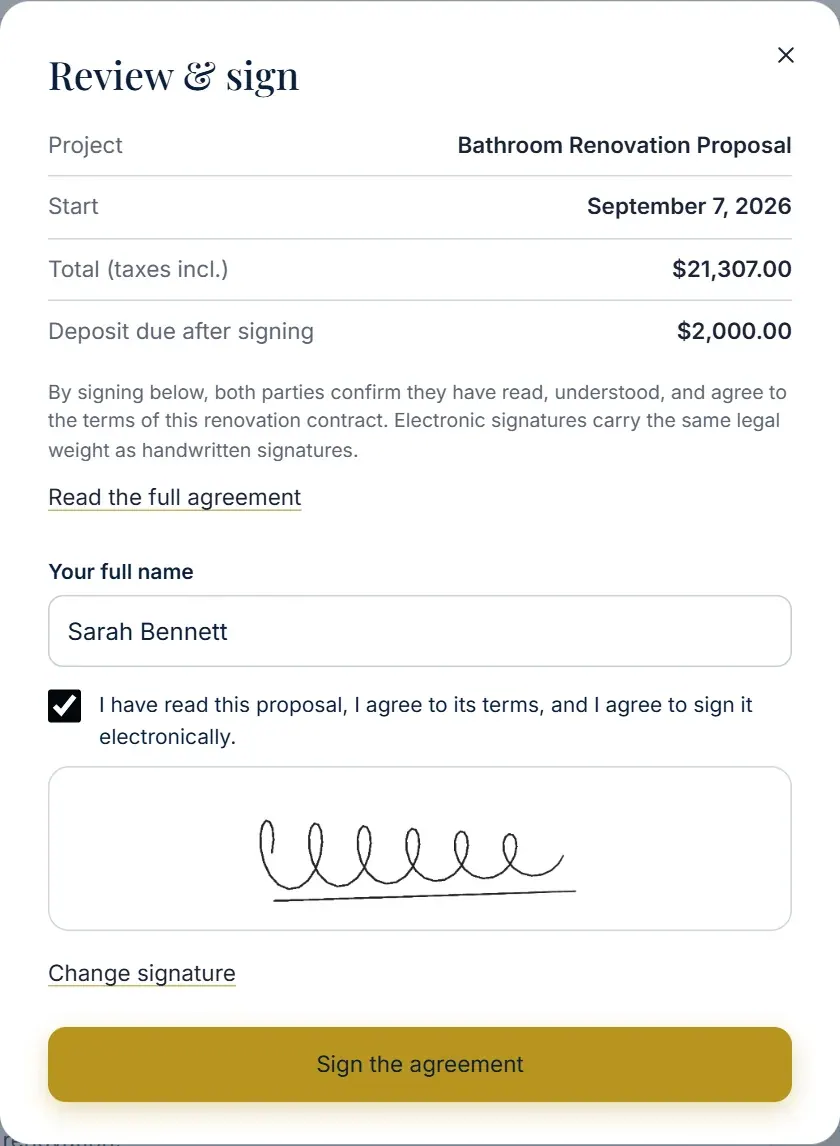
The yes happens on the page.
Keep approval and the deposit request in one flow. Your client reviews and signs from their phone, then chooses a payment method, so the job can move forward without another round of follow-ups.
- Signed on any device
- Phone, tablet or laptop. Both parties sign the same agreement.
- Deposit options appear next
- Once the client signs, deposit payment options are presented on the same page.
- Reservation stays clear
- Confirm receipt of the deposit before reserving the project date.
- Approval with a record
- Signed approval and the agreed payment terms stay together.
SECURE E-SIGNATURES — CONNECTED DEPOSIT OPTIONS — BUILT FOR CANADIAN CONTRACTORS — DIGITAL AUDIT TRAIL
Money talk, handled upfront
Every dollar has a date before anyone signs.
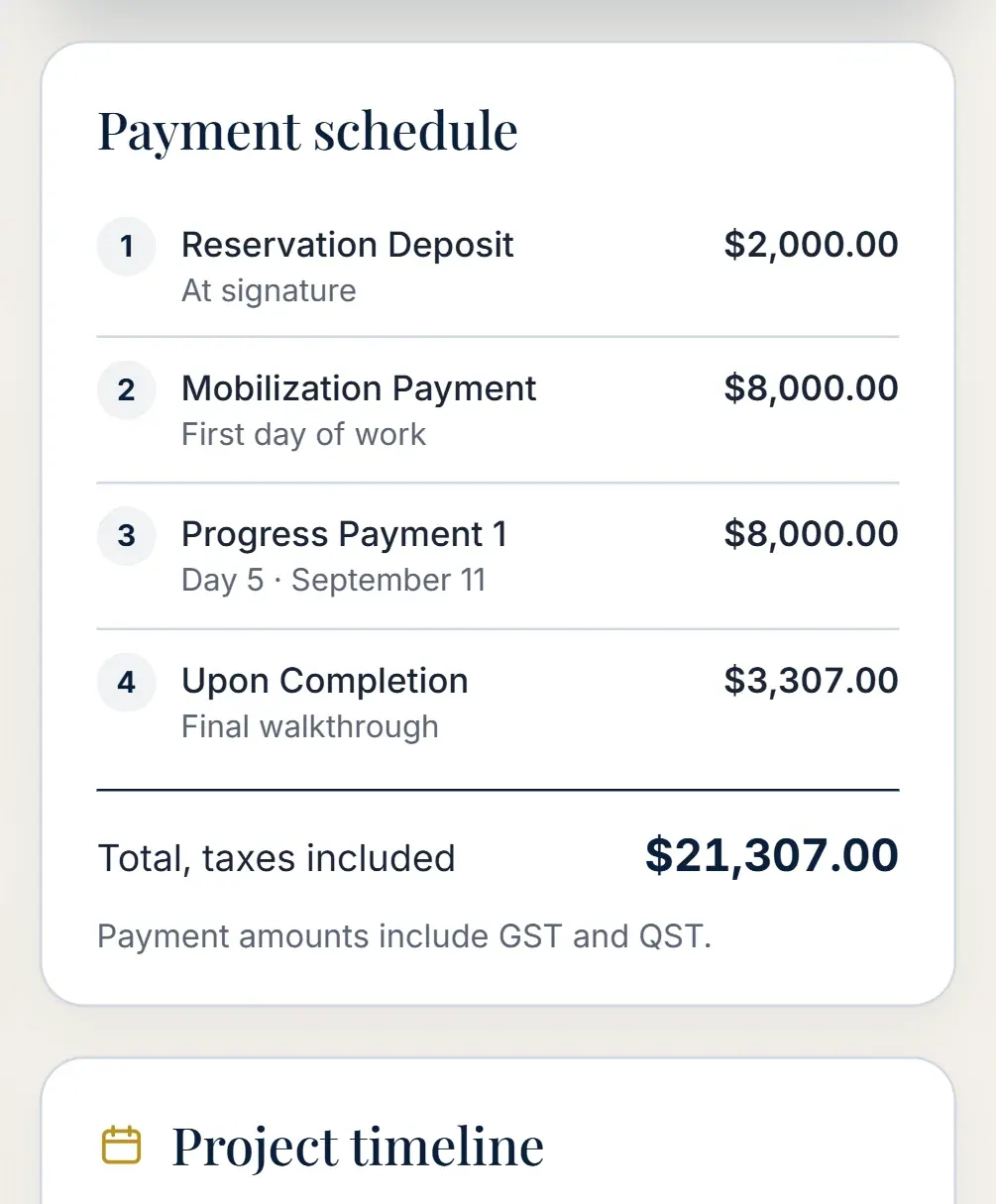
Deposit, progress payments and completion sit inside the proposal with amounts, timing and accepted methods. Your client knows exactly what happens after yes.
- Tied to real stages
- Milestone payments follow project stages, not vague balances.
- Clear totals
- Totals with and without taxes, so nothing surprises anyone at invoice time.
- Confidence on both sides
- Obligations, warranty and termination terms are explained before work begins.
The awkward money conversation, retired.
Where this fits in the sale.
Each part hands off to the next, so nothing is retyped and nothing falls through the cracks.
- 01 Understand the project Interactive Planner
- 02 Build the quote Smart Quote Builder
- 03 Send it and get the yes You are here
- 04 Follow through CRM & Follow-ups
- 05 Manage the work Projects & Profitability

Send one proposal like this. Your clients will notice.
Set up your first interactive proposal with your own branding, and see it with your own services and pricing.